FastLink and Configuration Tool – New Features/Enhancements
Verified Account Deselection Warning in FastLink 4
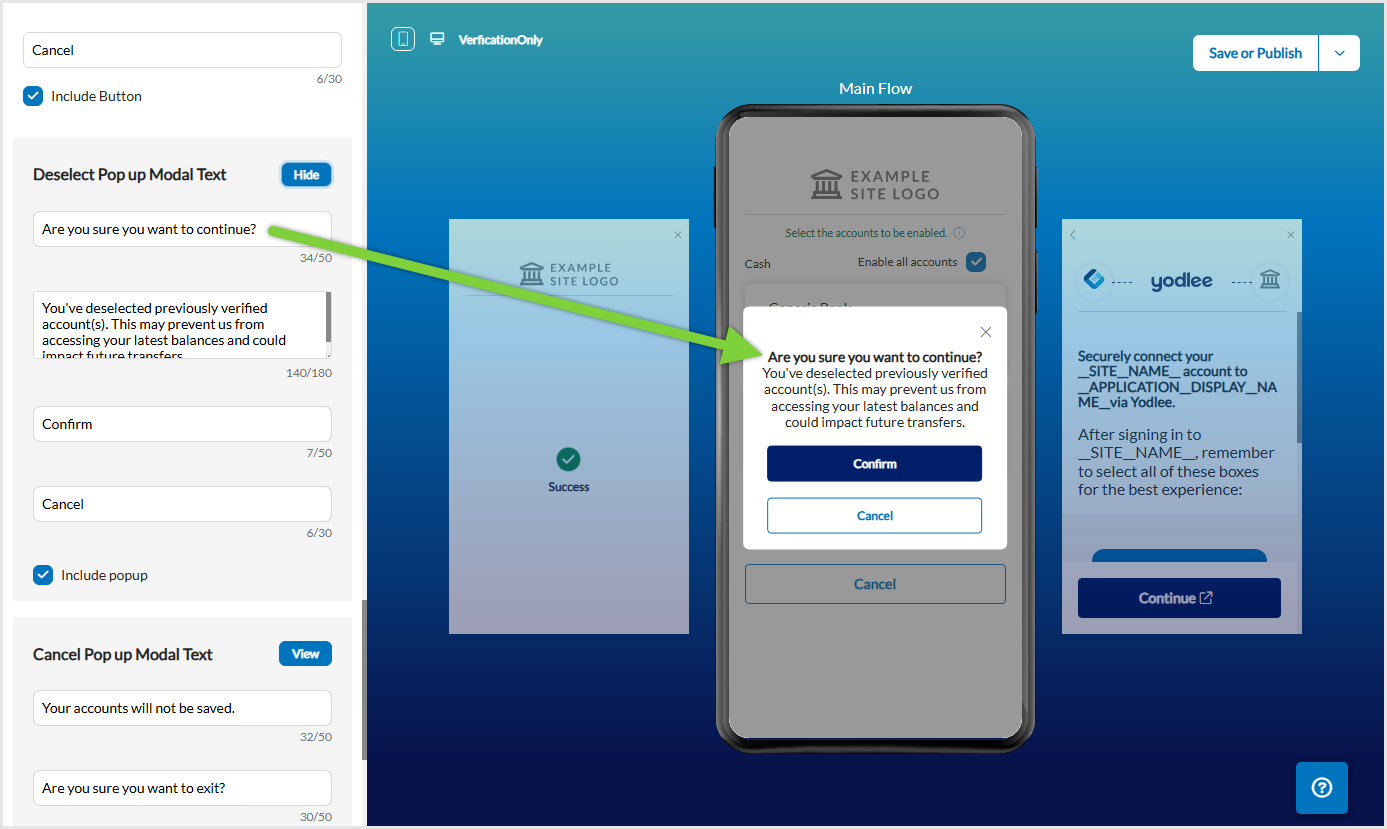
The pure Verification product flow now supports a warning popup when a returning user deselects previously verified accounts on the Account Selection page and clicks Save and Finish or Save and Link More Accounts. This feature helps prevent accidental removal of verified accounts.
By default, the popup is disabled across all configuration instances. Customers can enable it as needed. In the Configuration Tool, to enable or disable the warning popup and configure the displayed text, navigate to Account Selection → Deselect Pop up Model Text section.
Simplified US Open Banking Consent Screen
This release introduces a more intuitive US Open Banking consent flow in FastLink 4, designed to improve user understanding and completion rates. The updated layout minimizes friction and keeps users focused on key consent actions.
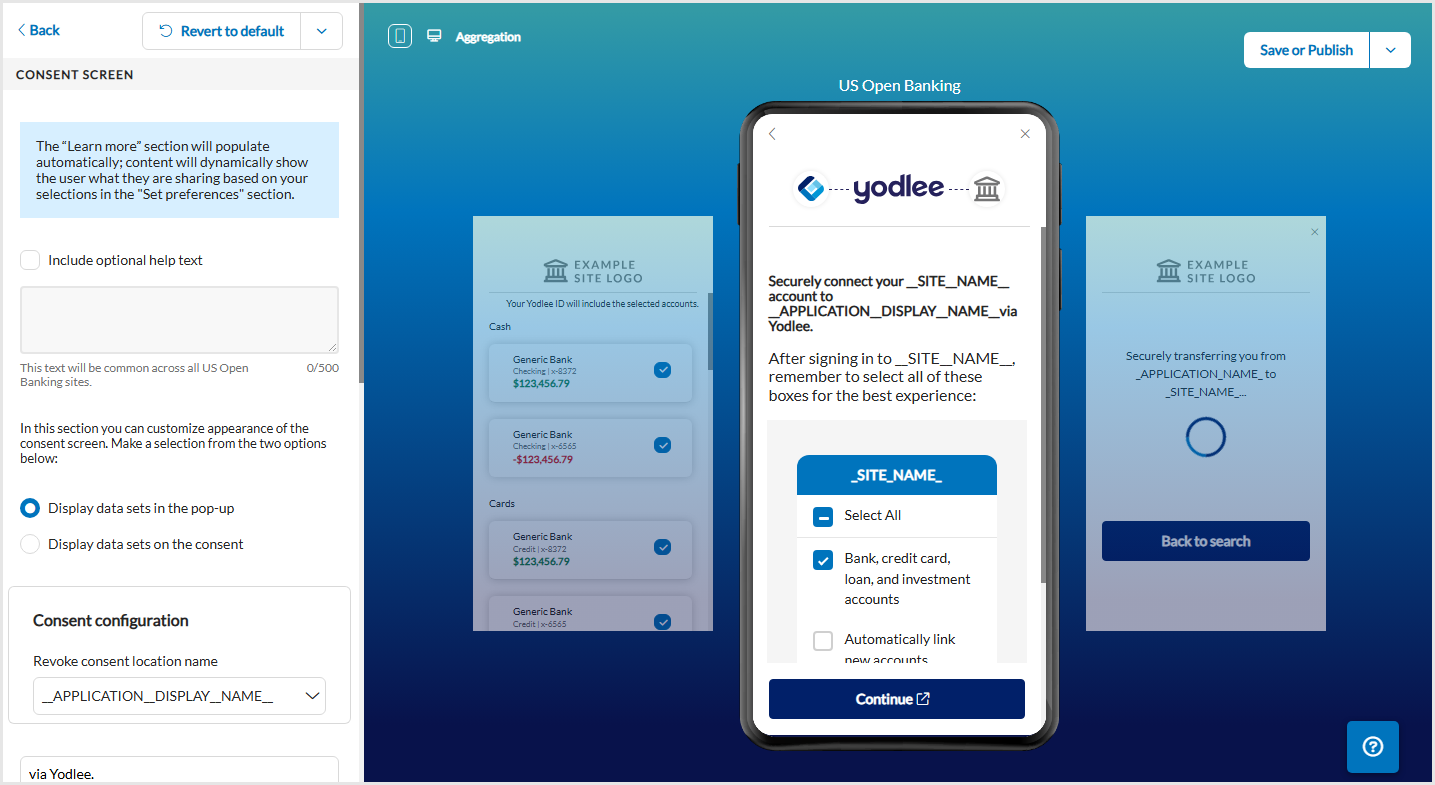
Dataset details are now shown in a dedicated pop-up, reducing screen clutter and keeping the Continue button visible without scrolling. A brief tip with an animated visual reminds users to review and select consent checkboxes on the provider’s site for a smoother experience.
The following changes to the Consent screen have been introduced:
Aggregation product –
Consent screen –
Displays a simplified consent screen for data aggregation.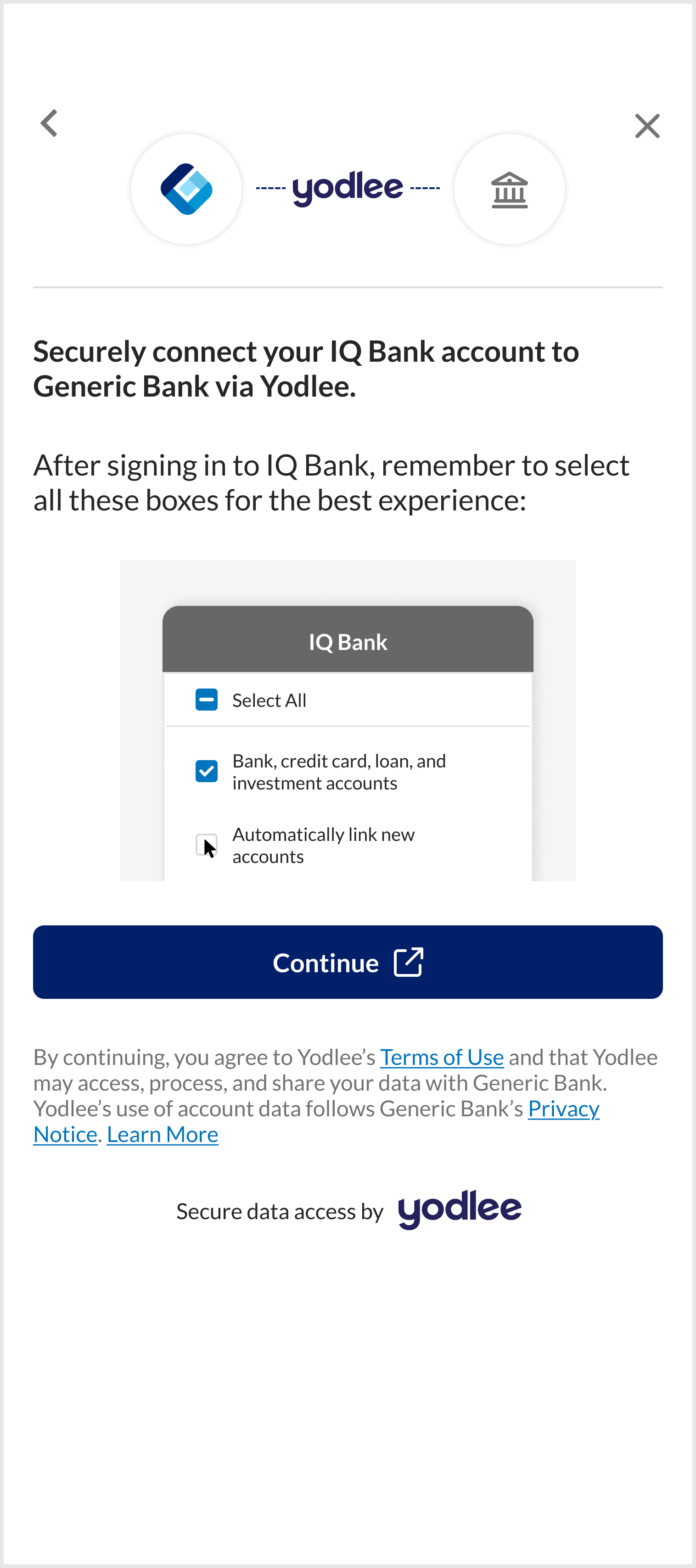 Learn more view –
Clicking the Learn More link opens detailed dataset information.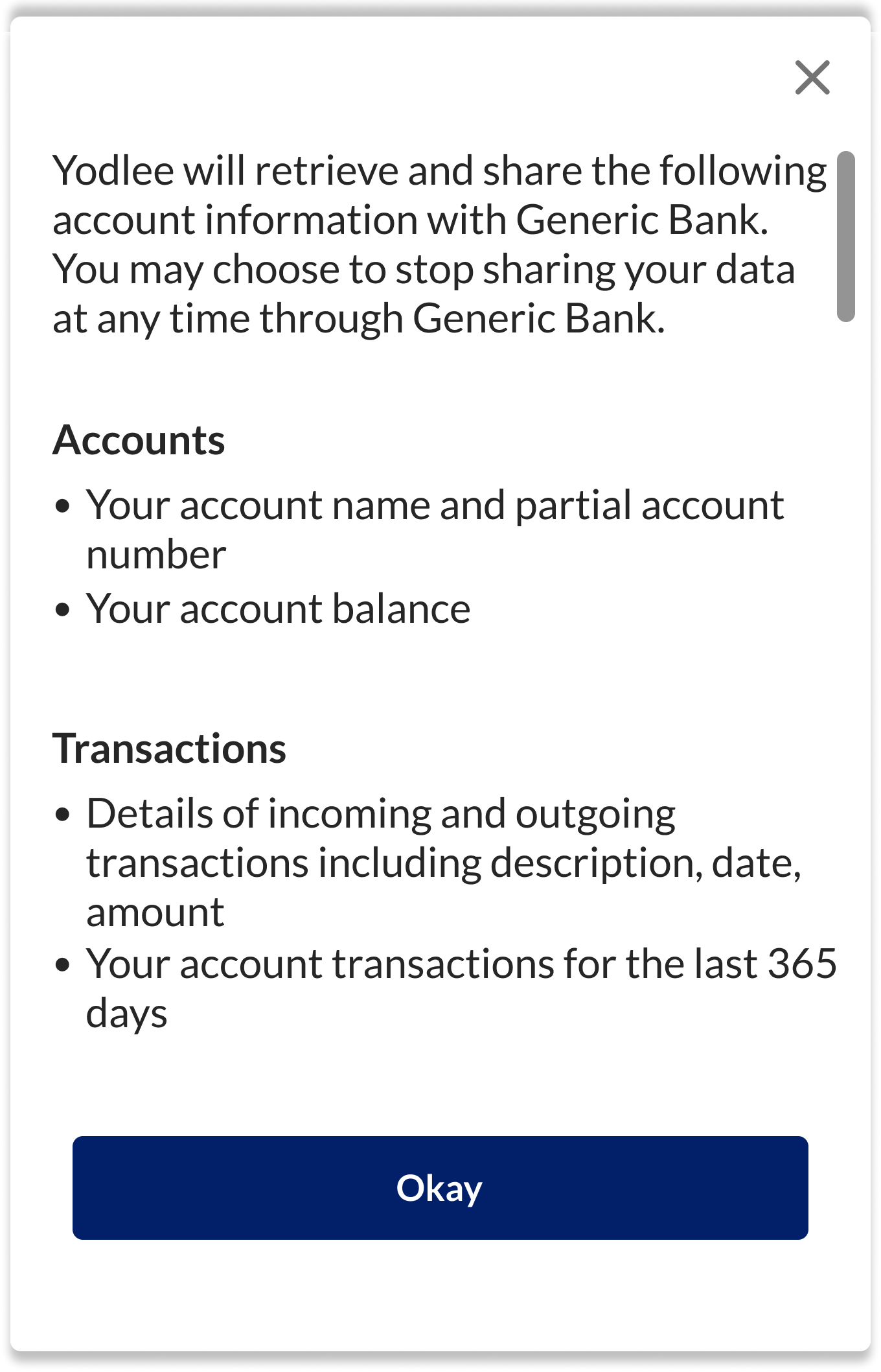
Verification product –
Consent screen –
Presents a streamlined consent process for verification.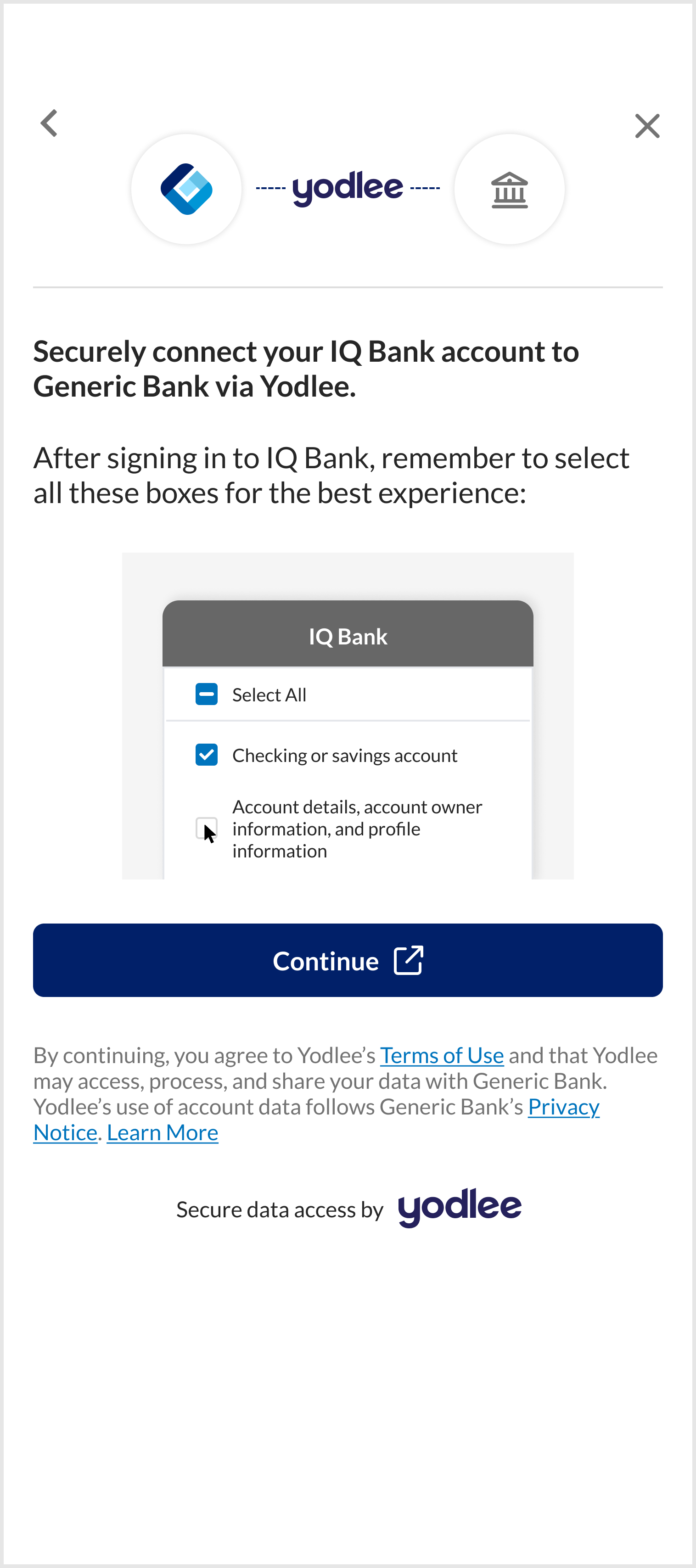 Learn more view –
Clicking the Learn More link opens detailed dataset information.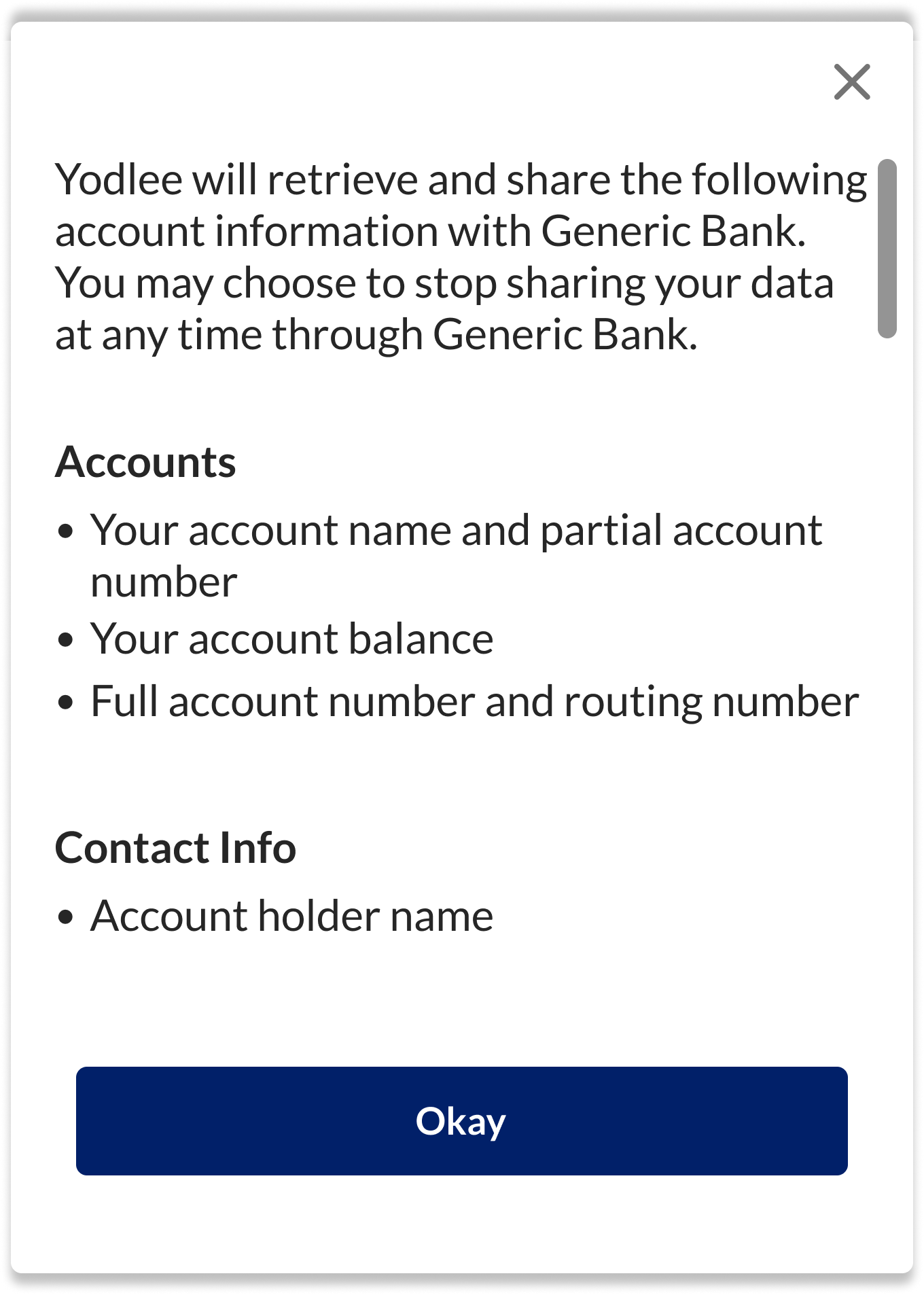
- Aggregation + Verification product – On clicking the Learn More link opens detailed dataset information.
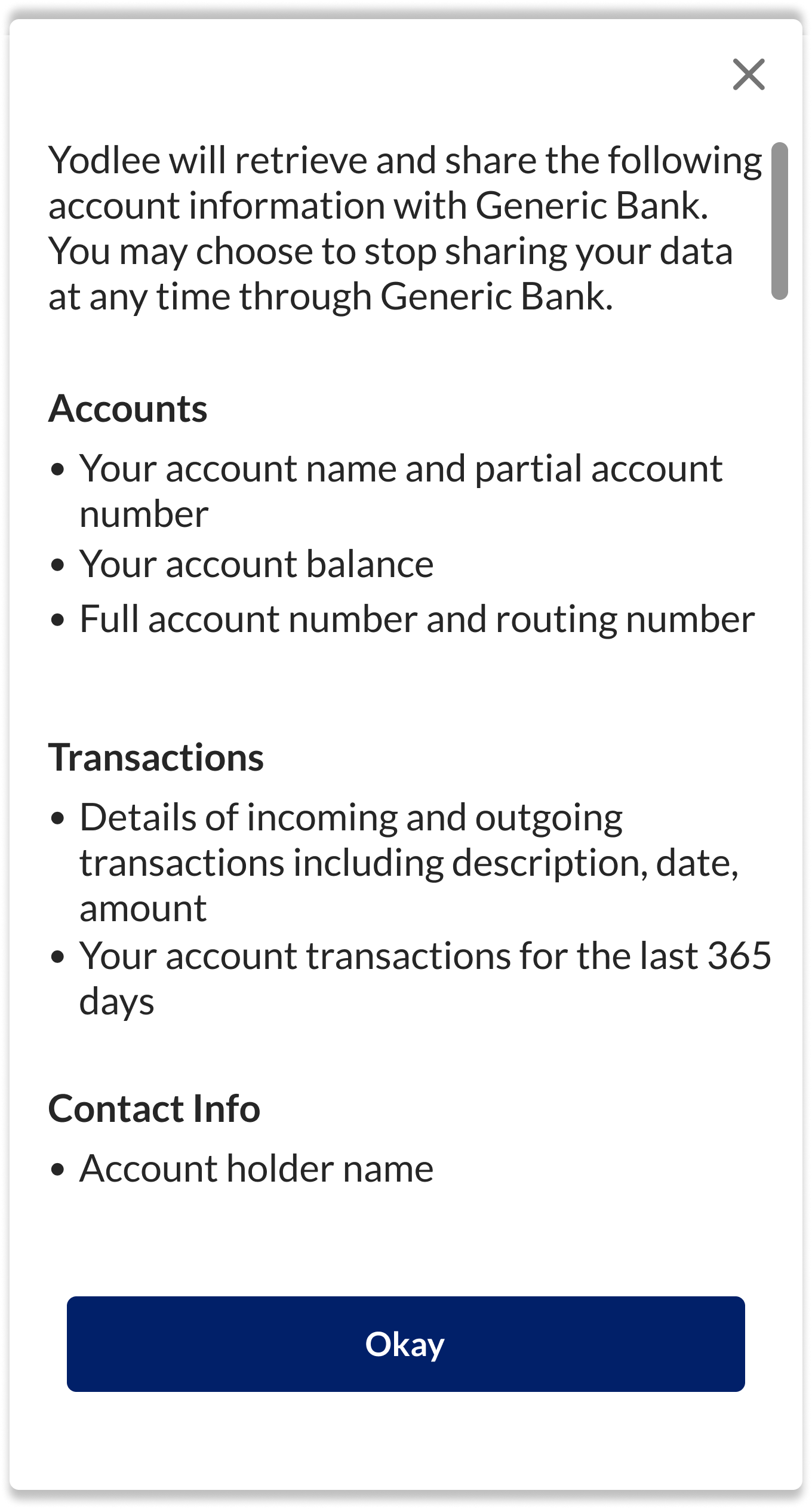
The simplified consent screen is enabled by default across all configuration instances. To manage the settings, go to US Open Banking → Consent Screen section in the Configuration Tool.
Open Banking – New Features/Enhancements
Consent Expiry Webhook Notification
The Active Consent Updates Event webhook has been enhanced to provide improved visibility into user consent status. Currently, the webhook notifies when a user consent is active and has been since the last notification or relevant user action. With this update, the webhook can also trigger notifications when a consent is nearing its expiration date. These two events are mutually exclusive, giving customers the flexibility to enable either or both notifications for any Open Banking (OB) region they need to track.
Configuration Tool Changes
The existing journey to opt for the Active Consent Update Webhook notification on the Configuration Tool has been modified.
- Field renamed – The Open Banking region drop-down has been renamed to User Activity Updates. The functionality remains unchanged. The only change in this notification is the field name, so no action is required from the customer.
- New configuration option – A new option, Consent Expiry Updates, has been introduced to configure the X days prior to consent expiration should the notification be triggered.
- Customers can select any OB region (where enabled) and specify multiple days from a predefined list: 5, 10, 15, 30, and 45.
- If Select All or an OB region is selected, default values (5, 10, 30) will be applied, which can be customized per region.
Notification Behavior
- Notifications are based on the consent expiration date captured during authorization (Add) or re-Authorization (Edit) flows.
- For US Open Banking, some providers extend consent expiration with each refresh.
- Notifications will not trigger for events where consent expires due to provider-side actions, as these are identified in real time without prior updates.
Webhook Response Update
The response remains largely unchanged, with one new field added:
consentExpiringInDays– Indicates the number of days remaining before consent expires.
Customers can also calculate this using the existing expirationDateTime field.
Sample webhooks payload -
{
   "event":{
      "data":{
         "consent":[
            {
               "dataAccessFrequency":"RECURRING",
               "expirationDateTime":"2026-01-30T11:16:27Z",
                "consentExpiringInDays":"30",
               "renewal":{
                  "defaultRenewalDuration":30,
                  "isReauthorizationRequired":true
               },
               "applicationDisplayName":"Multi_dispname",
               "consentId":10540746,
               "startDateTime":"2025-12-31T11:16:27Z",
               "providerId":29823,
               "openBankingRegion":"US",
               "consentStatus":"ACTIVE",
               "providerAccountId":12900370,
               "scope":[
                  {
                     "titleBody":[
                        "Full account number and routing number",
                        "Tokenized account number and routing number",
                        "Your account balance",
                        "Your account name, type and partial account number"
                     ],
                     "scopeId":"ACCOUNT_DETAILS",
                     "title":"Accounts"
                  },
                  {
                     "titleBody":[
                        "Details of incoming and outgoing transactions including description, date, amount",
                        "Your account transactions for the last 90 days"
                     ],
                     "scopeId":"TRANSACTION_DETAILS",
                     "title":"Transactions"
                  },
                  {
                     "titleBody":[
                        "Statement document which may include account name, statement balance, bill date, due date and other details"
                     ],
                     "scopeId":"STATEMENT_DETAILS",
                     "title":"Statements"
                  }
               ],
               "loginName":"TestWHUser214",
               "providerName":"DagClone OAuth",
               "startDate":"2025-12-31",
               "expirationDate":"2026-01-30"
            }
         ]
      },
      "notificationId":"b4d6c3aa-176717985",
      "info":"OB_CONSENT.OB_ACTIVE_CONSENT_REMINDER"
   }
}
For more information, see Open Banking Consent Events.
Transaction Data Enrichment – New Features/Enhancements
SMB Category Enhancement
This enhancement introduces two new SMB categories and restructures an existing category to improve transaction classification.
- New categories –
- Securities Trades – Includes transactions related to investments and security trading activities.
- Pension Plans – Includes transactions related to retirement and pension plan contributions.
- Existing category change –
The existing Community and Government category has been removed. It is now split into the following two separate categories: Community and Government.
Impacted API Method and URLs:
For more information, see Business Transaction Enrichment.
Simple Description Enhancement
The simple description generation process has been enhanced to deliver greater flexibility and consistency across transactions.
- Intermediary field support –
- The Intermediary field (Secondary Merchant Name) can now be used when creating custom simple description rules.
- This enhancement provides better control for generating meaningful and accurate descriptions for transactions involving intermediaries.
- Standardized simple descriptions –
- Simple descriptions are now generated in a consistent, standardized format, regardless of variations in the original description received from the source site.
- This ensures uniformity in transaction descriptions across all channels and data sources.
Wealth – New Features/Enhancements
Change in Crypto Symbol Separator
A configuration key introduced in the September ’25 release enabled customization of symbols for crypto holdings by appending a string to distinguish them from traditional securities. By default, this feature appended DA to the crypto symbol, using a hyphen (-) as the separator.
Starting with this release, the separator has been changed from a hyphen to a forward slash (/). For example: BTC → BTC/DA