FastLink and Configuration Tool – New Features/Enhancements
FastLink 4 UX Enhancements
FastLink 4’s November release delivers a fresh set of UX enhancements, expanding on the improvements introduced in the last two releases. These updates are designed to boost user engagement and drive greater customer adoption.
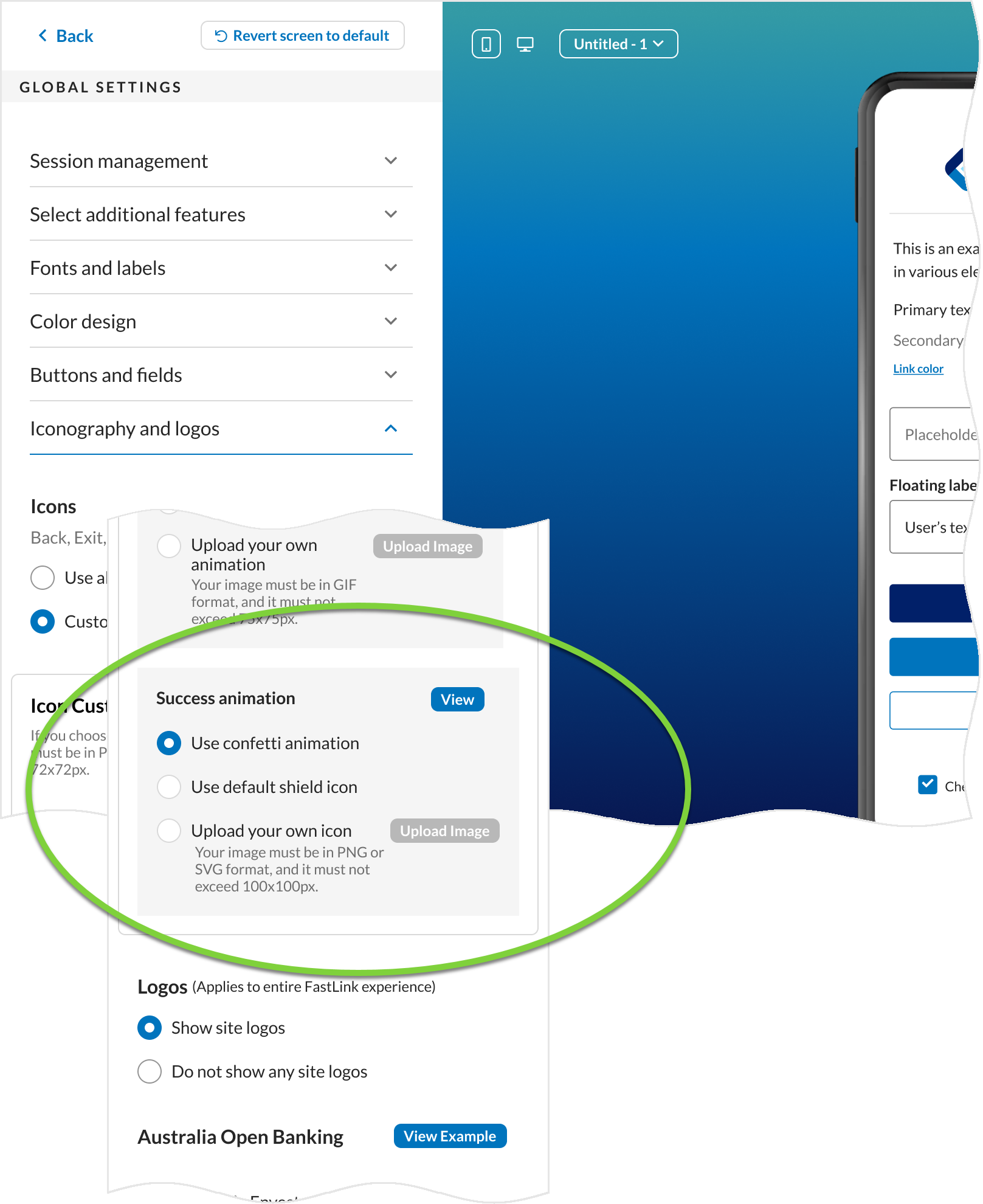
New success screen confetti animation –
A new confetti animation has been added to the success screen, offering an additional option for visual customization. The confetti animation is enabled by default for new customers. Customers can choose to retain the shield icon or upload a custom icon through the Configuration Tool.Existing Enhanced
To access this setting in the Configuration Tool, navigate to Global Settings → Success animation section.
- Header logo configuration –
The verify credentials screen now supports configuration options to display logos for the data provider, the aggregator (Yodlee), and the data recipient. This updated header logo layout is enabled by default for all new customers. Existing customers will continue to see the previous logo layout and must republish their configurations to enable the new logo layout. Also, any existing templates must be republished to apply the new logo layout.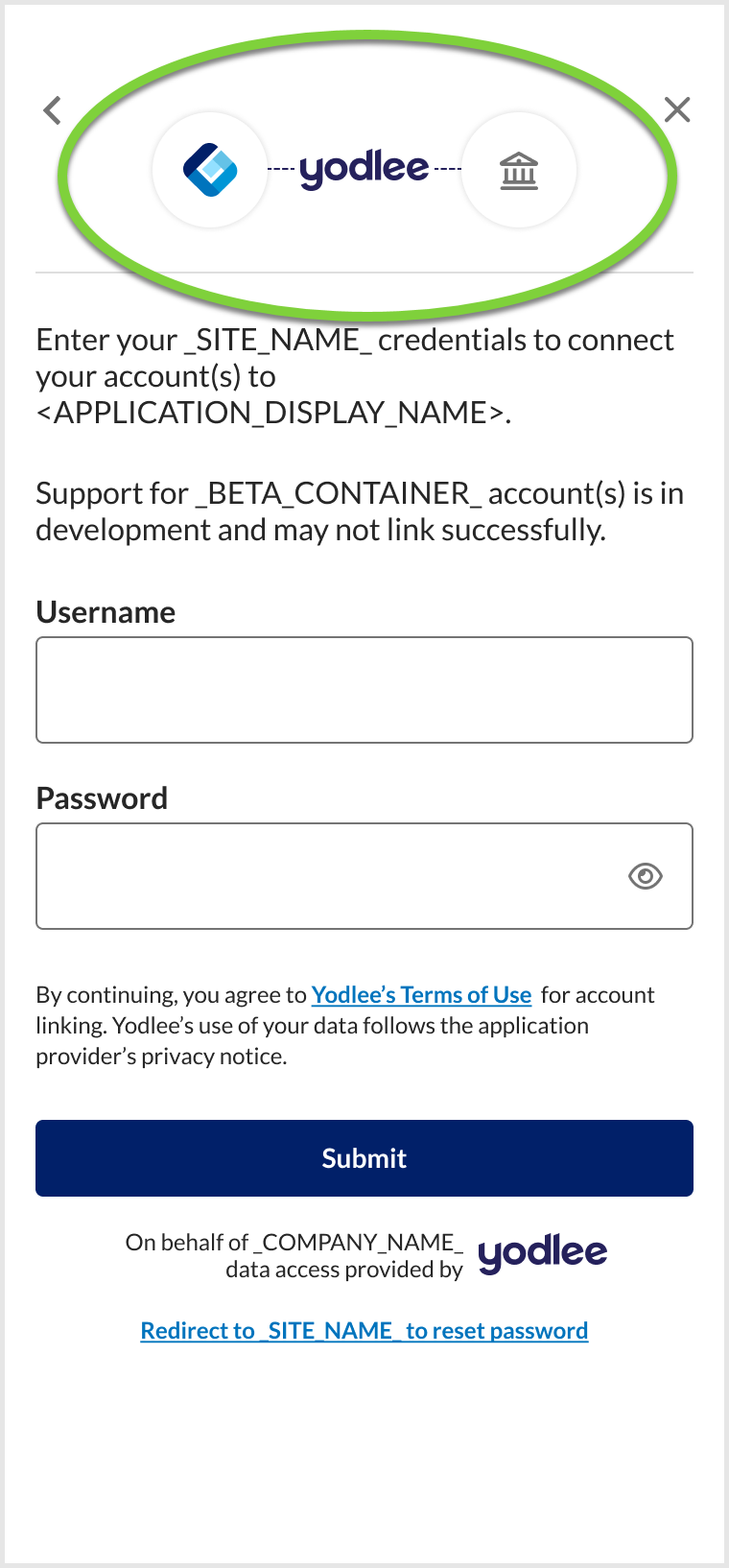
To configure the logo setting in the Configuration Tool, navigate to Global Settings → Logo style section. If the Provider logo option is selected, only the provider’s logo will appear on the verify credential screen. If the own logo option is selected, the customer’s chosen logo will be displayed.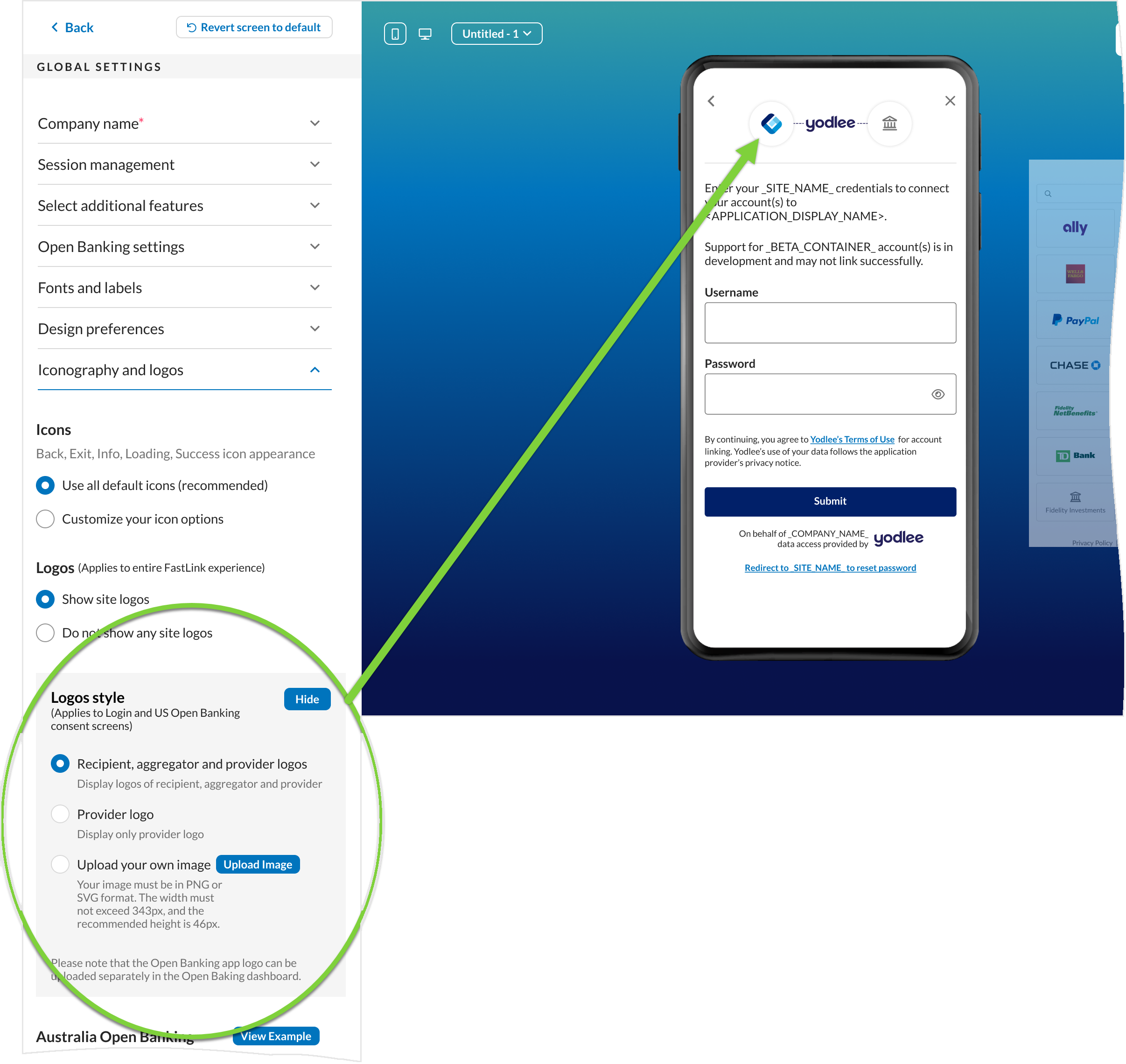
Route Add Account Requests Through Different OB Apps
Customers aiming to offer services across both the Aggregation and Verification product lines under a single cobrand and user profile have faced limitations due to token conflicts on US OB sites. This issue arises because a user can be associated with only one OB App at a time. With this release, enhanced flexibility has been introduced, enabling users to aggregate their accounts through multiple OB Apps independently for different business needs. This change applies only to FastLink 4.
Key Highlights –
- Launching FastLink for an existing user with a different OB App name than the one originally registered will no longer result in an error.
- Going forward, each Provider Account ID will be mapped to the OB App used during its creation. Existing Provider Account IDs will retain their original mapping based on the user-level OB App initially associated.
- Once a Provider Account ID, newly created or existing, is generated, it is mapped to a specific OB App. All subsequent refresh and edit operations for that Provider Account ID are executed exclusively through the associated OB App. If an edit flow is initiated through a different OB App, the operation will continue using the originally mapped OB App. No errors will be displayed in FastLink due to this mismatch.
- On the Re-add screen, only old connections will be displayed that are not mapped to any OB App (yet to be migrated) or mapped to the OB App used to launch FastLink.
- With this update, OB App mapping follows a defined precedence. If an OB App name is explicitly passed during the FastLink launch, it takes the highest priority. If no OB App is specified, the system checks for a configuration instance-to-OB App mapping, which takes second precedence. In the absence of both, the user’s aggregation attempt is mapped to the default OB App of the cobrand or customer.
- Only OB Apps with US OB enabled can be mapped to a configuration instance. This feature is recommended for customers enabled exclusively for US OB, not other regions.
- To maintain backward compatibility (BCT), this is an optional feature and should be used only when there is a relevant business need.
Mapping a Configuration Instance to an OB App –
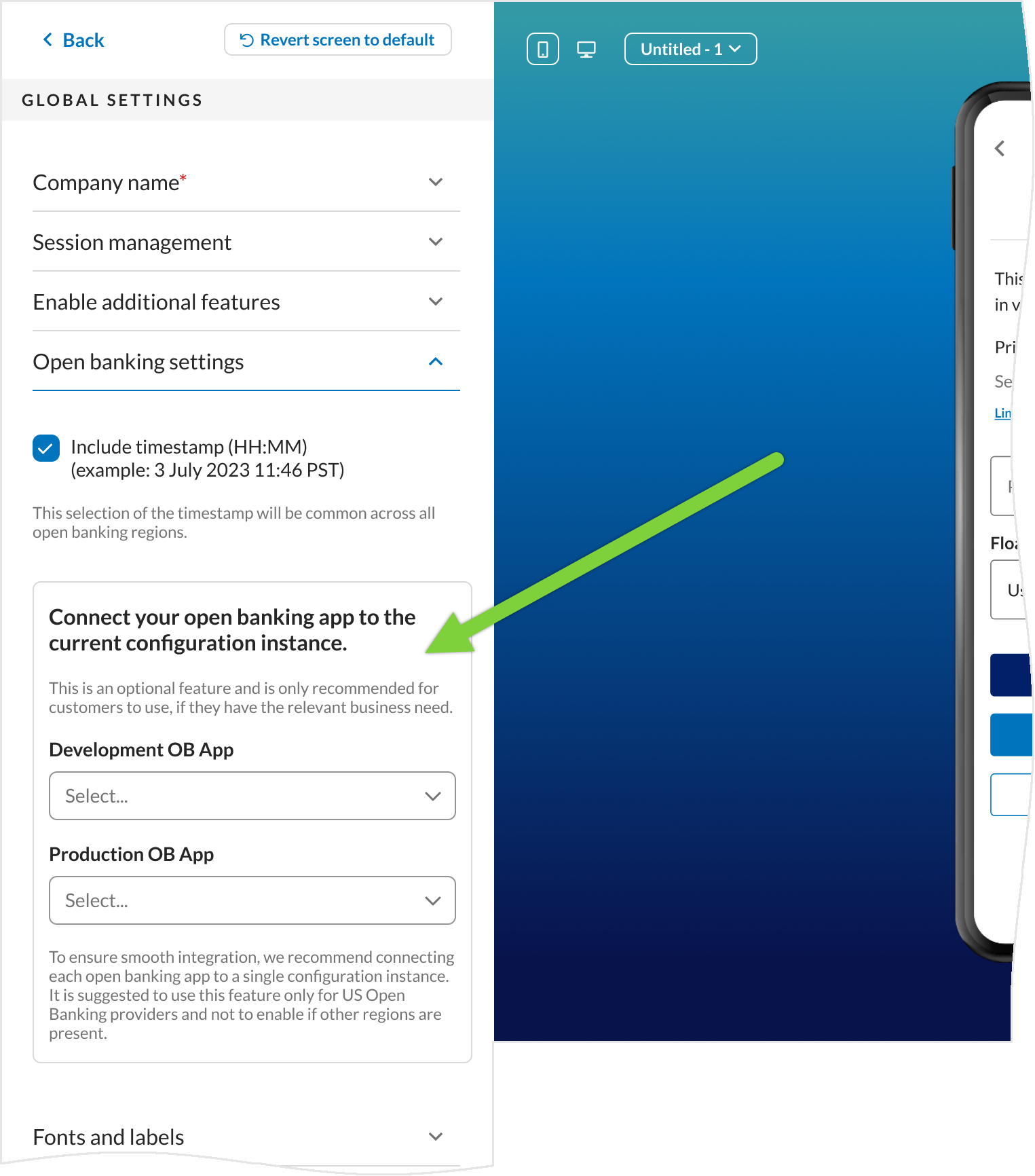
A configuration instance can be mapped to an OB App using the Configuration Tool, and this mapping can also be modified or removed at any time. If an OB App name is not provided during a FastLink launch, all aggregation attempts for that session will automatically route through the OB App specified in the Configuration Tool. Any Provider Account ID generated through this session will be mapped to the OB App specified in the Configuration Tool for the associated configuration instance. Once a provider account ID is generated, it is mapped to an OB App and that mapping cannot be changed/edited.
To map a configuration instance to an OB App, navigate to Global Settings → Open banking settings. Two dropdown menus are available: Development OB App and Production OB App, each listing the OB Apps available for the respective environment. Select the appropriate OB App to associate with the current configuration instance. After selection, publish the configuration instance in the corresponding environment to apply the changes.
Yodlee APIs – New Features/Enhancements
Update User’s Business Unit for Billing
The Update User Details API has been enhanced with a new optional parameter, configName, in the request body. This allows customers to change a user’s business unit as needed by passing the appropriate business unit name in the parameter. There are no changes to the API response body. This update applies exclusively to FastLink 4 customers.
| Impacted API Method and URL: |
Sample Request Body -
{
   "user":{
      "email":"user@example.com",
      "configName":"business-unit-config-1"
   }
}
Platform – New Features/Enhancements
Transition to Kukun for Real Estate Aggregation
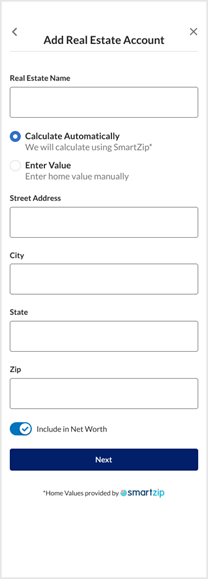
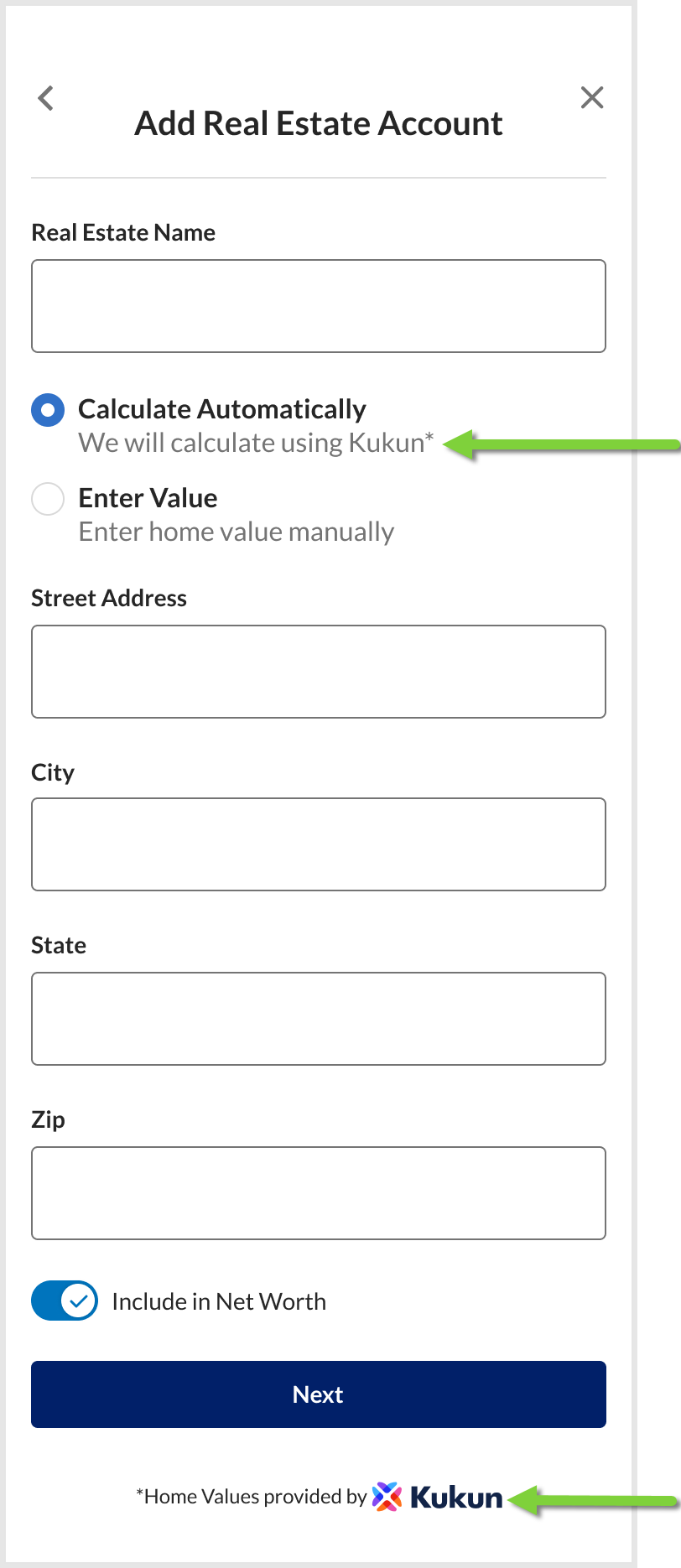
As part of the November release, the platform will transition its real estate valuation provider from Smartzip to Kukun Inc, following internal evaluations that demonstrated improved accuracy. This update addresses prior concerns around valuation discrepancies, particularly for high-value properties.
Existing property records will be automatically updated with Kukun valuations, requiring no action from consumers. Unique identifiers (providerAccountId and accountId) will remain unchanged, ensuring a seamless migration with no impact on customer data. As part of the November release, the migration of all existing real estate valuations to Kukun in both the Staging and Production environments will begin and is expected to be completed shortly thereafter. Going forward, any newly aggregated real estate accounts will use Kukun as the valuation provider.